
Implementing AI-Driven Self-Service Portals for SMB Help Desks
Introduction
For small-to-medium businesses in Michiana, every minute of downtime matters. In manufacturing and logistics environments, a delayed password reset, printer issue, or software access request can slow production, interrupt shipping schedules, and frustrate employees who need answers fast. That is why more SMBs are exploring AI-driven self-service portals as a practical way to improve help desk operations without dramatically increasing IT headcount.
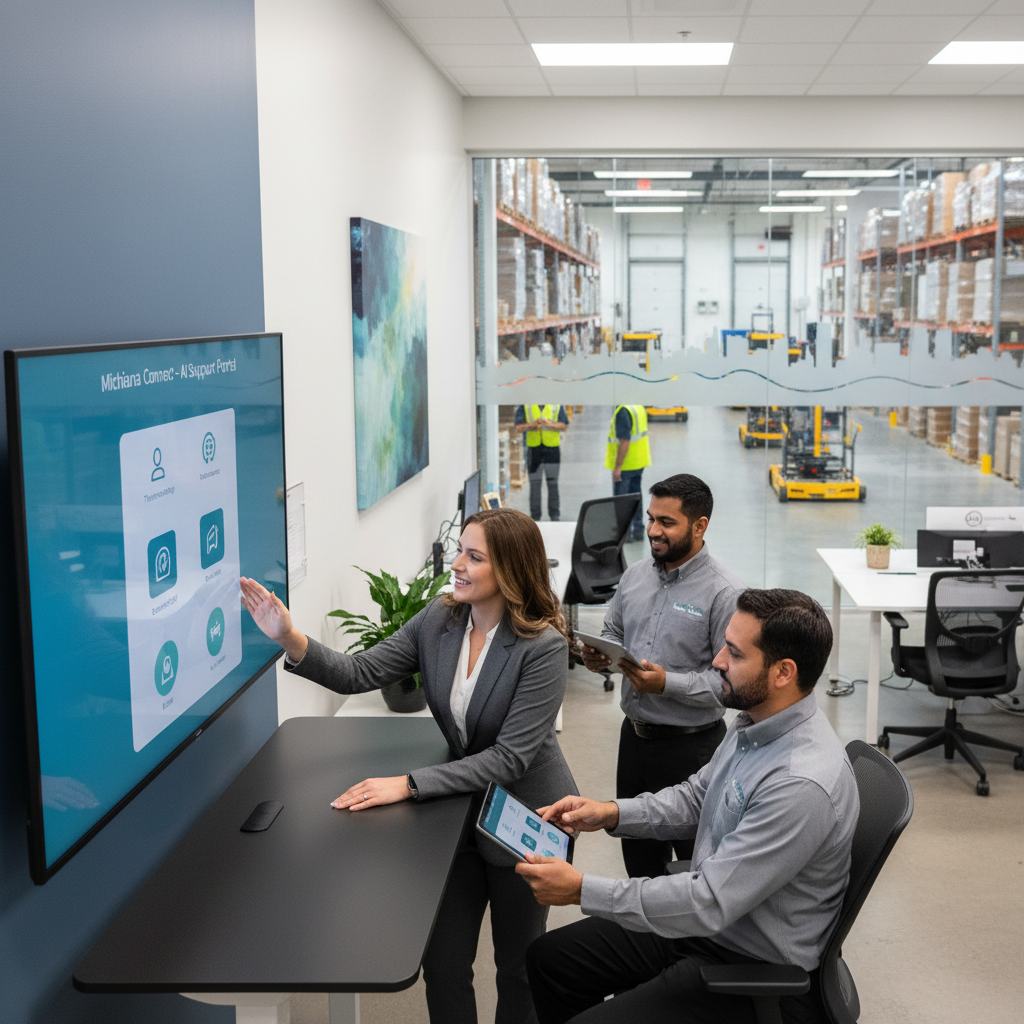
A well-designed self-service portal gives employees a faster way to solve common issues on their own, submit tickets, find approved how-to resources, and get support outside of normal business hours. When AI is added to the mix, the experience becomes even more useful. Employees can search with natural language, receive suggested fixes based on the issue they describe, and route requests to the right support path automatically.
For businesses in South Bend and the broader Michiana region, the goal is not to replace your IT team. It is to help your team work smarter, reduce repetitive support tasks, and keep operations moving.
Why AI Self-Service Makes Sense for Manufacturing and Logistics SMBs
Manufacturing and logistics companies often deal with unique support demands. Shared workstations, shift-based schedules, warehouse mobility, ERP access, label printers, and line-of-business applications all create steady help desk volume. Many of those issues are routine, but they still consume valuable technician time.
An AI-driven self-service portal helps by handling the most common requests quickly and consistently. For example, employees can use the portal to reset passwords, unlock accounts, request software access, troubleshoot VPN issues, or find instructions for connecting handheld scanners and printers. AI can guide users to relevant knowledge base articles, recommend next steps, and ask follow-up questions before a ticket is even created.
This is especially helpful for SMBs that do not have a large internal IT department. Instead of spending the morning answering the same support questions, your team can focus on higher-value work like cybersecurity, infrastructure improvements, and business continuity planning. For busy businesses in Michiana, that can mean fewer disruptions on the floor and better use of limited IT resources.
What to Include in an Effective Self-Service Portal
Not every portal delivers results. To support your SMB help desk effectively, the portal should be built around the issues your employees face most often.
Start with a searchable knowledge base. Include clear, plain-language articles for frequent support needs such as password resets, MFA setup, email access, printer troubleshooting, device onboarding, and approved software requests. If your business runs warehouse systems, production software, or shipping tools, create short guides for those too. Keep articles concise and include screenshots whenever possible.
Next, add automated service request workflows. Employees should be able to submit common requests through simple forms rather than relying on emails or phone calls. Good examples include onboarding requests, access changes, equipment requests, and network issue reporting. AI can help categorize these submissions and route them to the correct technician or escalation path.
A virtual assistant or AI chatbot can also be valuable, especially for first-line help desk support. It can answer basic questions, suggest troubleshooting steps, and collect important details before handing the issue to a real technician. This improves ticket quality and shortens resolution time.
Finally, make sure the portal is mobile-friendly. In logistics and manufacturing settings, employees may not be sitting at desks. A portal that works well on phones or tablets makes adoption much easier.
Best Practices for a Successful Rollout
The most successful help desk and support best practices start with simplicity. Do not try to automate everything at once. Begin with the top 10 to 20 issues your IT team handles repeatedly. Look at ticket history and identify easy wins such as password problems, account lockouts, common application access requests, and device setup questions.
It is also important to write for the user, not the technician. Avoid overly technical language. An employee on a production floor should be able to understand the steps without needing extra interpretation. If needed, create separate internal documentation for IT and user-facing versions for employees.
Promote the portal consistently. During rollout, explain how the new system benefits employees: faster answers, 24/7 access, and less waiting for routine support. Short training sessions, email announcements, and quick-reference guides can make a big difference. Managers and supervisors should also encourage teams to use the portal first for common issues.
Another best practice is to connect the portal to your existing IT service management process. AI automation works best when it supports well-defined workflows, service categories, and escalation rules. If the process behind the portal is messy, the user experience will feel messy too.
For Michiana businesses with lean IT teams, partnering with a managed IT services provider can make implementation smoother. The right partner can help configure automation, improve knowledge articles, and ensure the portal supports your overall cybersecurity and support strategy.
How to Measure Results and Keep Improving
Launching a portal is only the beginning. To get long-term value, track the right metrics and update the system regularly.
Start by measuring ticket deflection. How many issues are being resolved through self-service without needing technician involvement? Then review average response time, ticket resolution time, and employee satisfaction. If your support team is spending less time on repetitive issues, you should start seeing gains in efficiency.
Also look at what employees are searching for. AI tools can reveal common search phrases, failed searches, and repeated questions. That insight helps you identify where your knowledge base needs improvement. If users keep searching for help with a specific warehouse app or printer problem, create better content around it.
Review articles and workflows on a regular schedule. Software changes, process updates, and new security requirements can quickly make old instructions inaccurate. Assign ownership so someone is responsible for keeping the portal current.
Most importantly, use AI as an enhancement, not a replacement for personal support. Employees should still have an easy way to reach a real technician when an issue is urgent, complex, or business-critical.
If your manufacturing or logistics business in South Bend or the greater Michiana area is ready to modernize IT support, The K.A.B. Group can help you plan, implement, and optimize an AI-driven self-service portal that fits your operations. From help desk best practices to managed IT services and cybersecurity support, our team helps SMBs build smarter, more efficient technology environments.